

Technology almost covers all aspects of people’s lives in the 21st century. Almost everything can be done with technology; almost everyone moves forward from traditional ways.
Technology offers people easy access to information and entertainment. In recent years, we witnessed many predictions of the future coming true. And there is more to come as the world is moving quickly depending on technology.
However, one of the significant innovations of technology is smart TVs, which have some unique features and applications that we can easily access and enjoy with just one click.
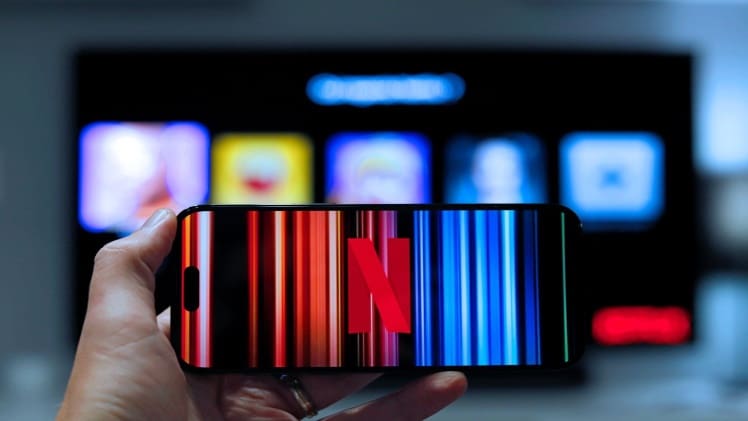
Moreover, with the rapid increase in smartphones, developers also put effort into making it feasible for these two devices to go hand in hand. This means you can easily control your TV with your smartphone and have fun using both together.
Using both devices simultaneously can be a hassle for the first time, but it’s not; it is simple to use whether streaming movies, shows, playing games, or usually browsing the internet. Using a smartphone as a remote makes everything more accessible.
In this blog, we will mention some tips for using your smart TV with your smartphone.
App Compatibility
The first step is to check your smartphone’s compatibility with your smart TV as an Android phone user; it is compatible with almost all Smart TVs, whereas some apps are unavailable on iOS phones.
Hence, it’s essential that before purchasing any device, you must check the specifications of the device.
Download the App
Once you have figured out your smartphone’s compatibility, download the app from the smart TV developer’s website. There are several different apps that offer remote control features for your TV, such as AnyMote or Peel Universal Remote.
Also, you can check the apps store to search for apps that will work with your particular smart TV, like Apple Store or Google Play Store.
Some developers launch their particular apps so you can use them to control your TV. A prominent example is Samsung, which offers both SmartThings and SmartView apps so you can utilize them to organize your TV. You can manage your TV, set reminders, check the weather, and many more through these apps.
Set up Wi-Fi
You need strong and suitable Wi-Fi to connect your smartphone to a smart TV, as both devices must be connected to the same Wi-Fi network.
Switch on your smart TV, select your network, and type the passcode. Link your smartphone to the same Wi-Fi network, and you have it! Now, you can use the remote-control function easily.
Connect Phone to TV
You can easily manage to connect your smartphone with a smart TV on the same internet network. Most developers offer a feature known as mirroring or casting, which allows you to mirror the phone screen on your TV.
It is the same as a wireless HDMI, able to be plugged between your phone and TV. So, you can cast your phone to the smart TV.
Using a phone as a remote control
One of the great benefits of using your smartphone with a smart TV is that you can turn it into a remote control. Having a phone as a remote, you can change the channels, increase/decreasing volume, and even you can have control over other devices in your home from your comfort couch.
Virtual keypad
Typing shows and movie names with a TV remote is very frustrating. Happily, now you can use your smartphone as a virtual keypad to search for content more conveniently. You can search movies, shows, and other content with search functions on almost all TV apps.
However, suppose you need help finding any show or movie you cannot access because the content is unavailable in your region due to restrictions. In that case, you can use the best VPN for Android TV.
Voice recognition
As the world becomes modern with technology, you can now use your voice to control your smart TV. modern smart TVs have built-in voice recognition features, and some also have a combination of Alexa and Google Assistant.
You can use your smartphone to order your request to your smart TV via the virtual assistants’ or developers’ apps.
Gaming
Enjoying games on your smart TV is a great experience. With the assistance of your phone, you can use it as a remote control. Smart TVs have sensors that are built-in, which means you can use your smartphone’s gravitometer to control a gaming character’s actions.
Also, you can take screenshots, record your game through your phone, and share them with your friends.
Compatibility with various devices
Most of the smart TVs in the store today are compatible with a massive range of devices like Xbox, PlayStation, and Chromecast. So, if you know any of these beforehand, you can use your phone to have control over them and consistently switch from one to another device.
Conclusion
In conclusion, using a smartphone to control your smart TV offers a good experience. It gives you the freedom, flexibility, and ease of utilizing. By following the above tips, you can turn your smart TV device to work steadily via your phone, and finally, you will get the best of both devices.