

The Nintendo Switch is a great gaming console for gamers of all ages. With its portability and versatility, it’s no wonder why it’s become so popular. However, one of the most important aspects of the console is its ability to use microSD cards for storage. If you want to get the most out of your Nintendo Switch, it’s important to know how to choose and format the right microSD card for your device.
Choosing the Right MicroSD Card
When choosing a microSD card for your Nintendo Switch, there are a few important factors to consider. First, you’ll need to decide what size card you need. The Nintendo Switch supports cards up to 2 TB in size, so you should choose the largest card that fits your budget. You’ll also need to make sure that the card you choose is compatible with the Nintendo Switch. Most cards will work, but some cards may not be compatible. Finally, you’ll want to make sure the card is fast enough for your needs. Look for cards that have high read and write speeds for the best performance.
Formatting the MicroSD Card for Nintendo Switch
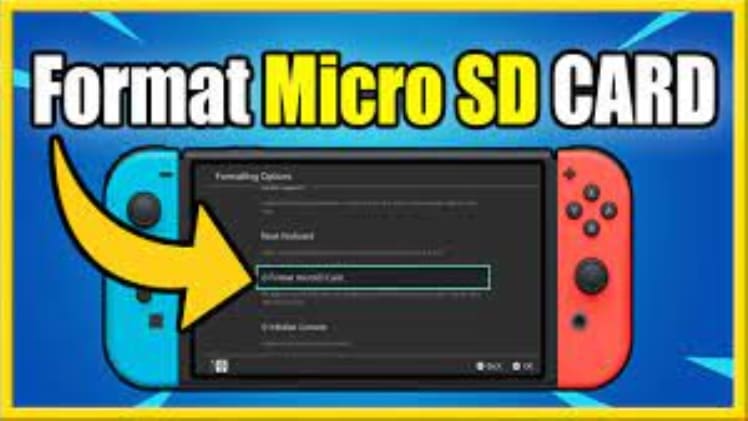
Once you’ve chosen the right microSD card for your Nintendo Switch, you’ll need to format it before you can use it. To do this, you’ll need to use the Nintendo Switch’s built-in formatting tool. To access this tool, go to System Settings, then select System, followed by Formatting Options. From here, you’ll be able to select the card you want to format and choose the format type. Make sure to select the FAT32 format for the best performance. After that, you’ll be able to start the formatting process. Once it’s complete, your card will be ready to use.
Choosing and formatting the right microSD card for your Nintendo Switch is an important step in getting the most out of your device. By following the steps outlined above, you can make sure that you have the right card for your device and that it’s properly formatted for optimal performance. With the right microSD card, your Nintendo Switch will be ready to take your gaming to the next level.