

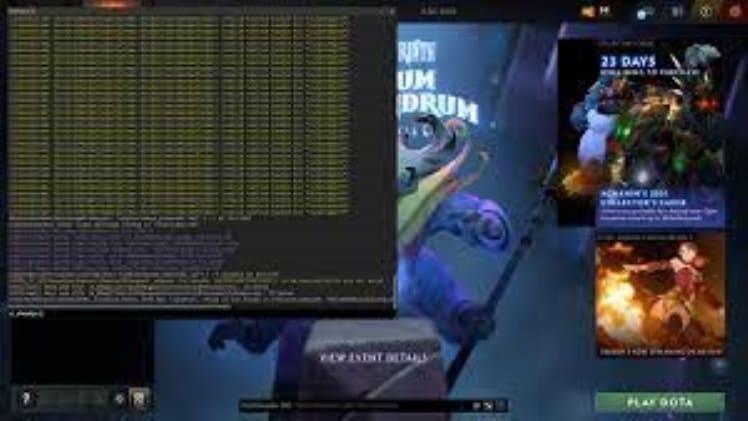
The console in Dota 2 is a powerful tool that can help players gain an edge in their game. It is a command-line interface that allows players to access and control various aspects of the game, and can be used to improve their experience and performance. In this article, we will discuss understanding and utilizing the console in Dota 2.
Understanding the Console
The console in Dota 2 is a powerful tool that can be accessed through a command-line interface. It allows players to control various aspects of the game, such as the camera, graphics, and sound. It can also be used to monitor game performance, change settings, and access various commands.
The console can be accessed by pressing the ~ (tilde) key on the keyboard. Once the console is open, players can type in commands to access various aspects of the game. These commands can be used to change settings and view game performance statistics.
Utilizing the Console in Dota 2
The console in Dota 2 can be used for a variety of purposes, such as changing settings, viewing game performance statistics, and accessing various commands.
Players can use the console to adjust the camera, graphics, and sound settings to improve their experience. For example, players can use the command dota_camera_distance to adjust the camera distance. They can also use the command dota_camera_accelerate to adjust the camera speed.
The console can also be used to view game performance statistics. Players can use the command net_graph to view a graph of their network connection and ping. This can be used to identify any issues with connection or lag.
Players can also access various commands through the console. For example, the command dota_force_right_click_attack 1 can be used to enable auto-attack. Similarly, the command dota_disable_range_finder 0 can be used to enable range finding.
The console in Dota 2 is a powerful tool that can be used to improve a player’s experience and performance. By understanding and utilizing the console, players can gain an edge in their game. With the right commands, players can adjust settings, view game performance statistics, and access various commands.